You can review the list of purchased features or add-ons you're using in your system. You can also access additional subscription options.
To review your Actionstep features:
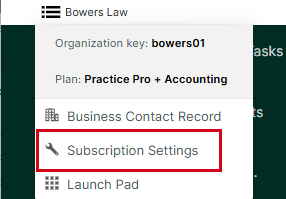
- In Actionstep, hover over the organization menu and choose Subscription Settings.
 The Subscription page appears.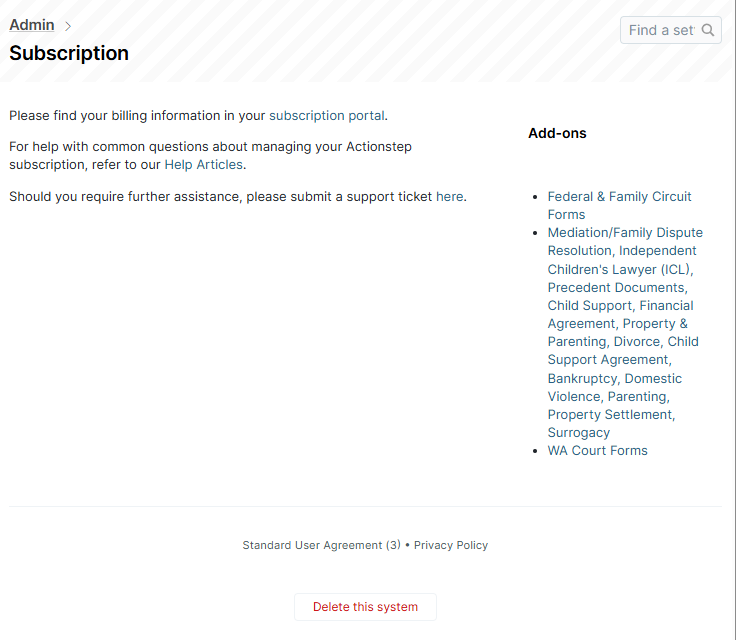
- Use the links on the page to view your billing information in the Billing Portal, access the Practice Management knowledge base, or submit a request for support.
- Review the list of Add-ons and click a specific add-on to view information about it.
Related Articles:
Was this article helpful?
That’s Great!
Thank you for your feedback
Sorry! We couldn't be helpful
Thank you for your feedback
Feedback sent
We appreciate your effort and will try to fix the article